
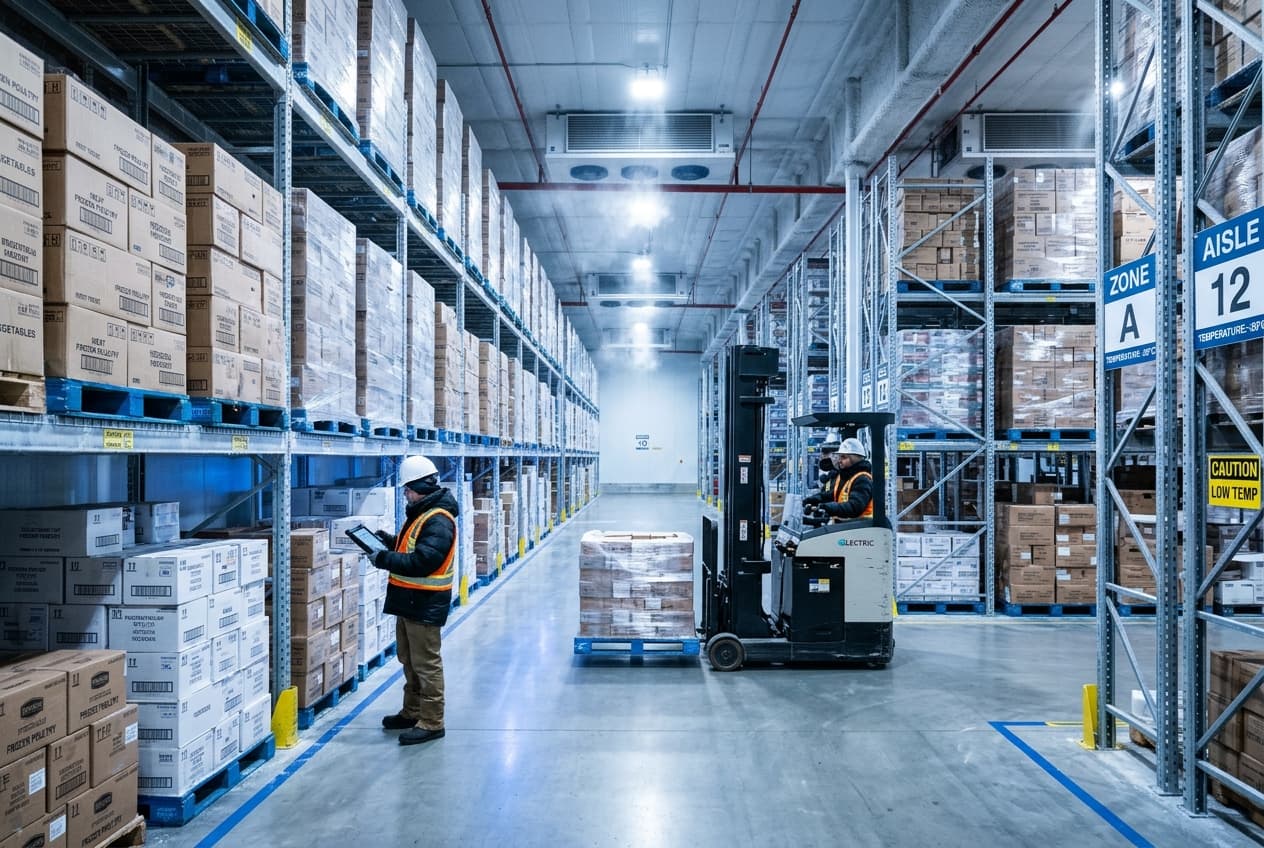
Track Every Batch
Keep records of product batches, expiry dates and stock movements so your team can identify where products came from and where they went.
DetailsManage frozen products, expiry dates, warehouse stock, deliveries and wholesale billing in one place. Keep your stock organized and your distribution business running smoothly.
48,250 kg
Stored across Freezer Zones 1 & 2 (-18°C)
18
Orders to Dispatch
4
Batches Near Expiry
6
Deliveries in Route
Illustrative demo data — not real customer figures.
Operations Overview
See available stock, upcoming deliveries and products that need attention from one organized view.
Frozen Stock Available
48,250 kg
Cold Room A & B (-18°C)
Orders Ready to Dispatch
18
Scheduled for today
Batches Near Expiry
4
Prioritize for dispatch
Deliveries in Progress
6
En route to retail accounts
Sample values for illustration only. Live figures are populated from your warehouse inventory records.
Why BALNEST
Keep frozen stock, warehouse operations, deliveries and customer billing organized in one connected system.
Keep records of product batches, expiry dates and stock movements so your team can identify where products came from and where they went.
DetailsTrack products sold by kilograms or pounds, even when they are stored or handled in cartons or individual pieces, where supported.
DetailsRecord where products are stored, from freezer rooms to racks and pallet locations, so staff can find stock more easily.
DetailsManage distributor orders, delivery documents, invoices and outstanding payments in an organized workflow.
DetailsConnected Workflow
Follow your frozen products through each stage of the distribution process.
Step 1
Record incoming products, quantities, batch numbers and expiry dates.
Step 2
Organize stock by warehouse, freezer room and storage location where supported.
Step 3
Prepare customer orders using pick lists and packing documents, with the correct products and quantities.
Step 4
Record dispatches, delivery documents and customer invoices through the supported billing workflow.
Operations Architecture
Three connected phases to keep storage inventory, order fulfillment, and distributor accounts aligned.
Phase 01
Track products, batches, expiry dates and warehouse locations.
Phase 02
Prepare pick lists, packing slips, delivery notes and invoices through the appropriate workflow.
Phase 03
Manage distributor invoices, payment records and outstanding balances where supported.
Cold Storage & Expiry Control
Keep product batches and expiry dates organized, so your team can find stock and identify items that need attention.
Location logs record user-assigned cold-room zones. For live IoT sensor telemetry, custom integration can be configured.
Direct staff to the exact freezer room, bay or shelf location.
Identify batches that need to be dispatched first to prevent loss.
Track every pallet arrival, internal transfer and customer dispatch.
Dual-Unit Inventory
Some frozen products are stored in cartons but sold by kilograms, pounds or individual pieces. Keep quantities and billing records organized for the units your business uses.
Tracked by carton & billed by kilogram
Cartons Received
200cartons
Approx. 10 birds/carton
Actual Weight
2,480.5kg
Scale verified
Quantity Sold
1,620.0kg
Across 12 orders
Remaining Stock
860.5kg
70 cartons in bay
Demo figures illustrating dual-unit tracking for variable-weight products.
Keep records in cartons, crates, kilograms or pounds.
Bill customers based on the exact weight or carton counts recorded.
Avoid discrepancies between warehouse counts and invoiced quantities.
Invoices can reflect exact scale weights or standard carton rates based on your agreement with each customer.
Order Fulfillment
Give warehouse staff a clear list of the products and quantities needed for each customer order.
Warehouse staff follow clear picking lists with item locations and quantities.
Verify carton counts or weighed quantities before closing dispatch boxes.
Generate delivery challans, gate passes and packing slips ready for transit.
Chicken 400kg, Veg Mix 120kg
Fish Fillets 350kg
Beef Cartons 800kg
Distributor Accounts
Manage orders from supermarkets, retailers, restaurants and other business customers, from order preparation to invoicing and payment records.
Coordinate with your cold storage drivers and retail partners with verified loading counts.
Track receivables, delivery challans, and customer payment allocations without spreadsheet errors.
Warehouse Intelligence
Understand which products are selling, what stock remains and which orders need attention.
Reports preview
Demo dataTons dispatched per day
Share of total cold weight
Dispatched
PKR 4.2M
Verified invoices
Outstanding
PKR 1.1M
30-day terms
Average SLA
4.2 hrs
To dispatch
Sample values for illustration only. Available reports depend on your configured modules and records.
Core Architecture
From pallet receiving at the dock to refrigerated delivery and general ledger.
Track product batches, expiry dates and freezer locations to keep warehouse stock organized.
Manage products using the units your business needs, such as cartons, kilograms or pounds, where supported.
Manage distributor orders, delivery documents and customer invoices.
Built for Distribution
Whether you operate standalone freezer bays or a multi-vehicle distribution fleet, start with what fits you.
Manage frozen product stock, customer orders and deliveries.
Organize product batches, recorded weights and customer invoices.
Keep stock locations, incoming batches and outgoing movements organized.
Manage bulk customer orders, delivery documents and payment records.
Frequently Asked Questions
Straightforward answers about managing cold storage, batches and wholesale distribution with BALNEST.
It is an operations and billing system designed for cold storage warehouses, meat and seafood suppliers, and frozen food distributors to manage inventory, batch expiry, deliveries, and wholesale accounts in one place.
Keep your warehouse stock, customer orders, deliveries and billing organized with BALNEST.